Skip to content
INV-v01Available

Inventory: stock you can trust, down to the bin.

INV-v01 keeps your item master, stock levels and warehouses in one place. Adjustments need a manager's approval, every transaction records the operator's KN ID, and counts, receipts and orders follow the same defined steps every time.

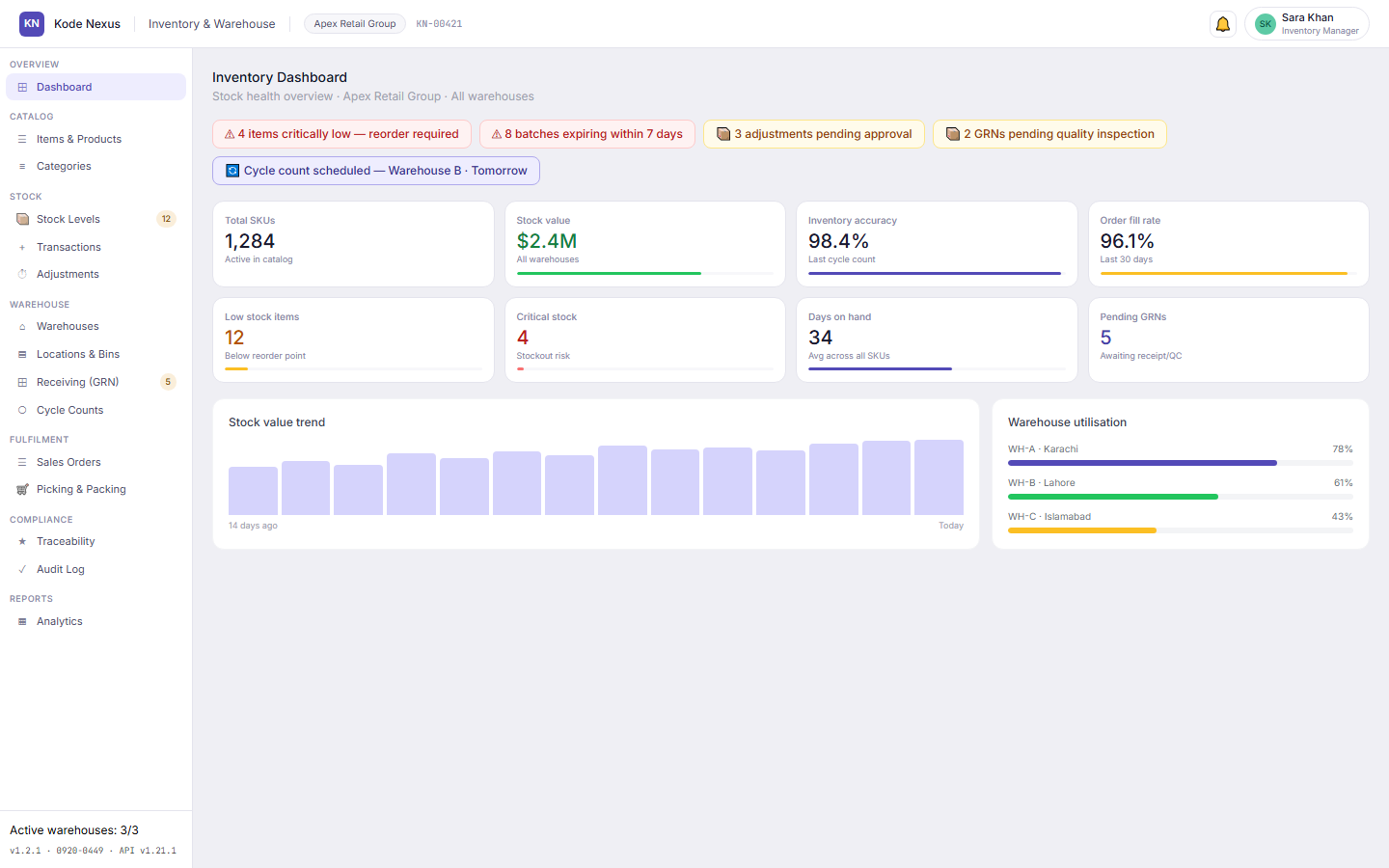
The INV-v01 dashboard with stock alerts, total SKUs, stock value, inventory accuracy, order fill rate and warehouse utilisation.

Why teams choose INV-v01

  • No unapproved adjustments

    Every stock adjustment needs a manager's approval and keeps an unchangeable before-and-after record.

  • Locations down to the bin

    Warehouse, zone, aisle, bay, level and bin, with bin addresses formatted for you.

  • Clean master data

    Units of measure and categories come from the item master, so nobody types their own.

  • Counts without bias

    Plan cycle counts per warehouse and use blind counts, so counters don't see the expected quantity.

01

An item master that stays clean

Items and products sit in a category tree, and items can only go into the most specific category. Units of measure are never free text: single-unit items inherit theirs, and multi-unit items offer only the units defined on the item.

  • Search by name, SKU or barcode, filter by category and status, and see low and critical stock on Stock Levels
  • Turning a category into a parent is a guided change, with approval for large moves
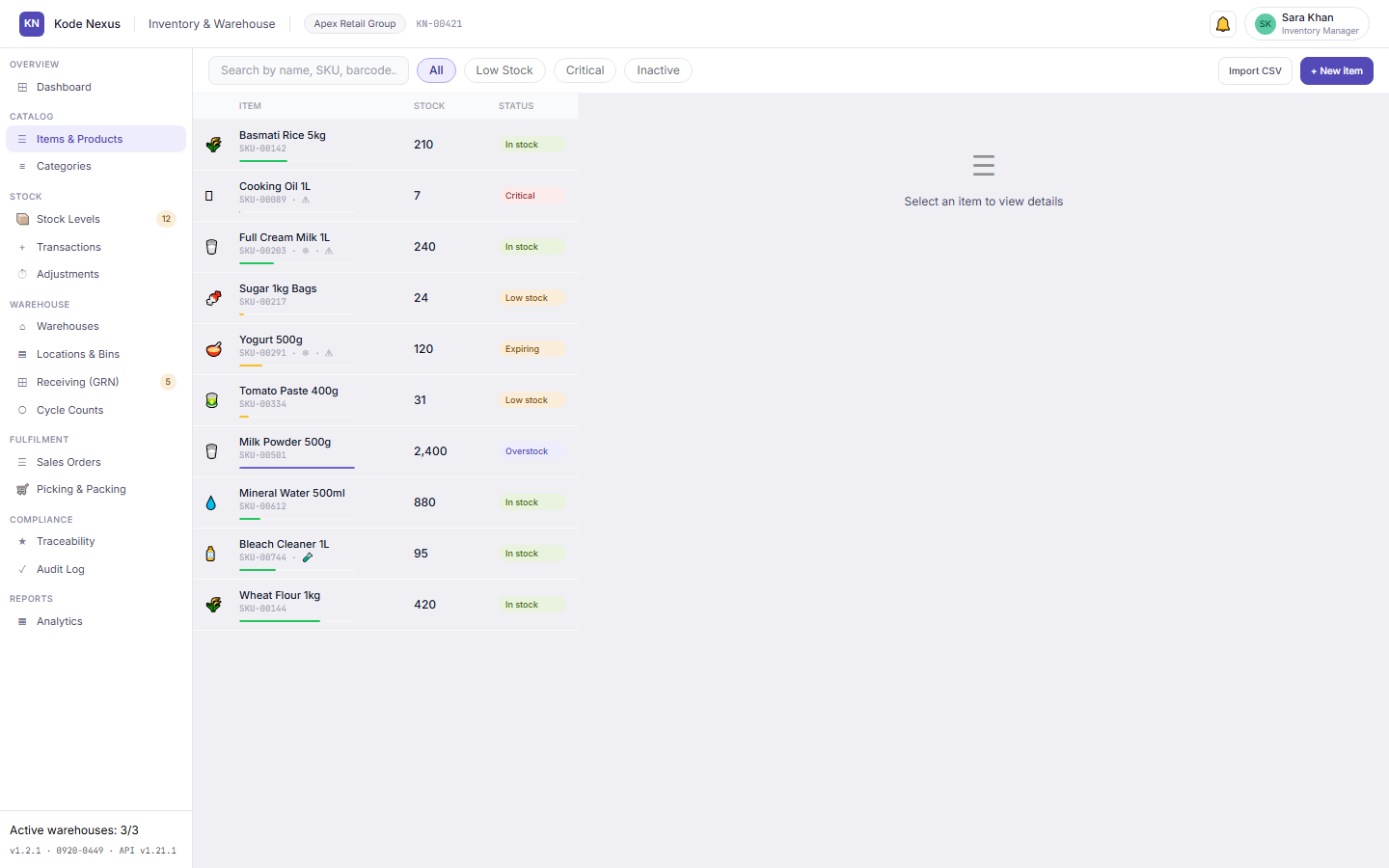
Items and Products list with stock quantity and status for each item.

02

Stock levels and changes you can explain

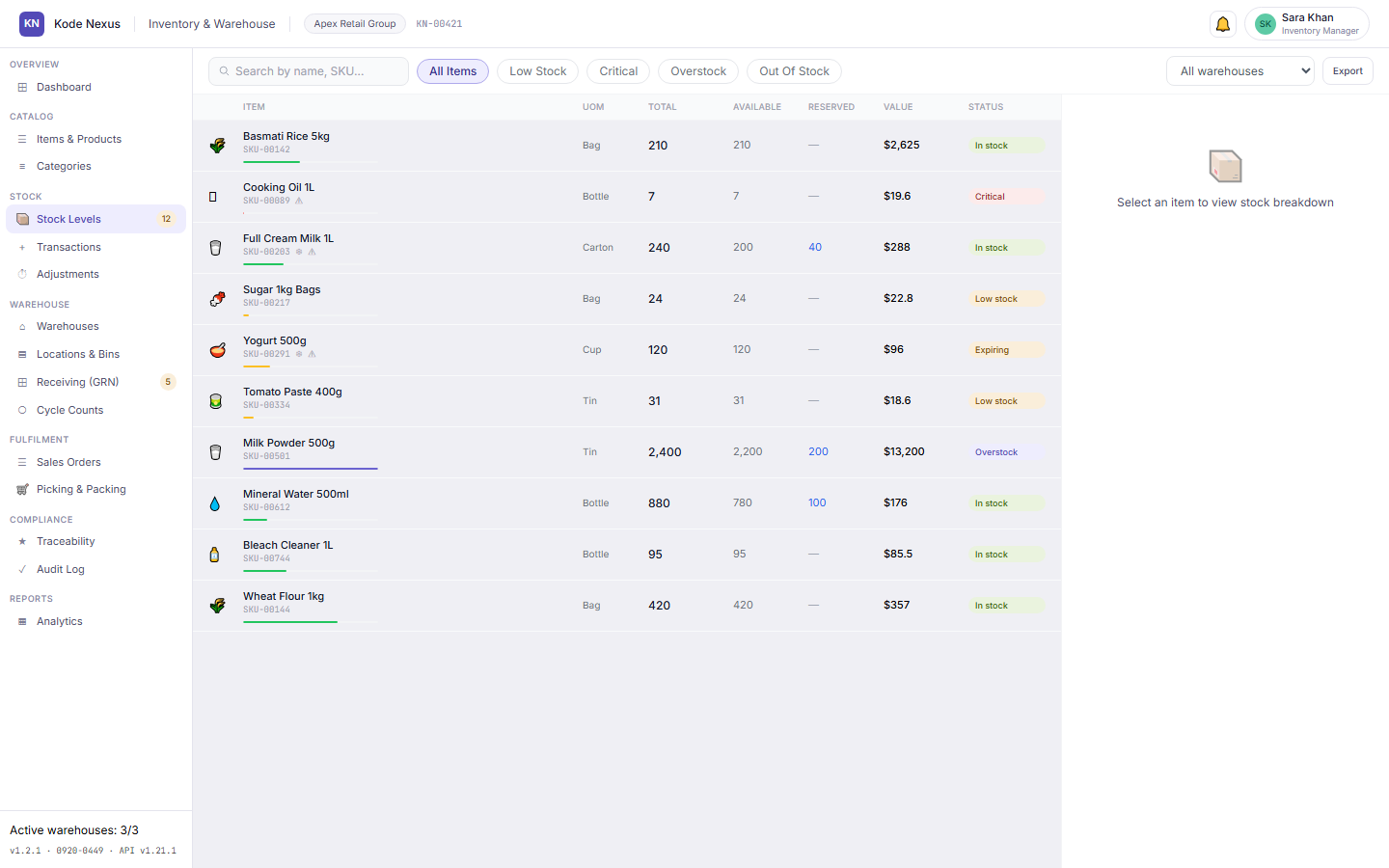
See stock by item and warehouse against reorder points. Every movement is a transaction, and every adjustment needs a manager's approval and keeps its before and after values.

Stock Levels screen with items below their reorder point highlighted.

03

Warehouses, locations and bins

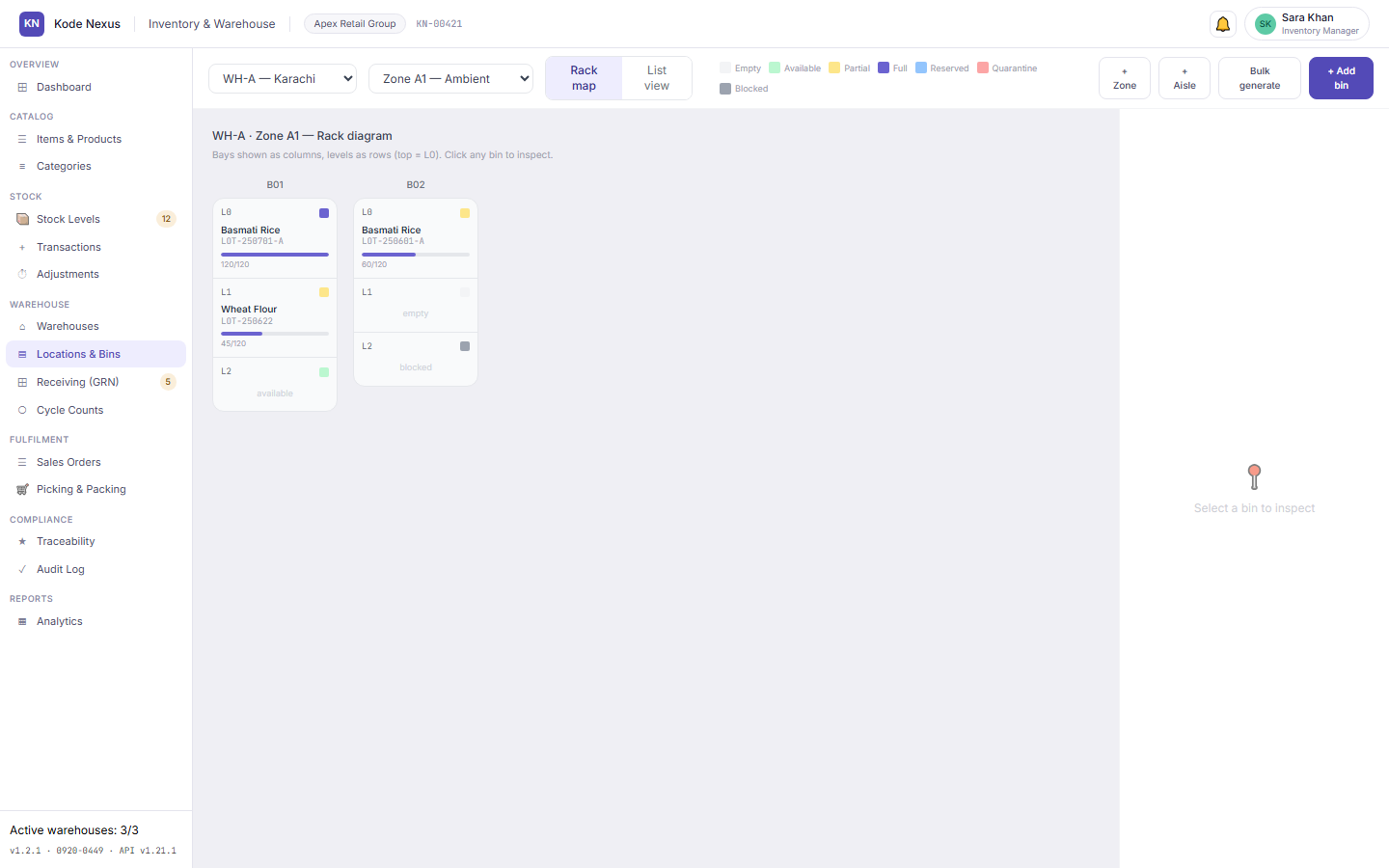
Model each warehouse as zones, aisles, bays, levels and bins. Bay and level are optional, and bin addresses format themselves.

Locations and Bins screen showing the warehouse location hierarchy.

04

Cycle counts and receiving

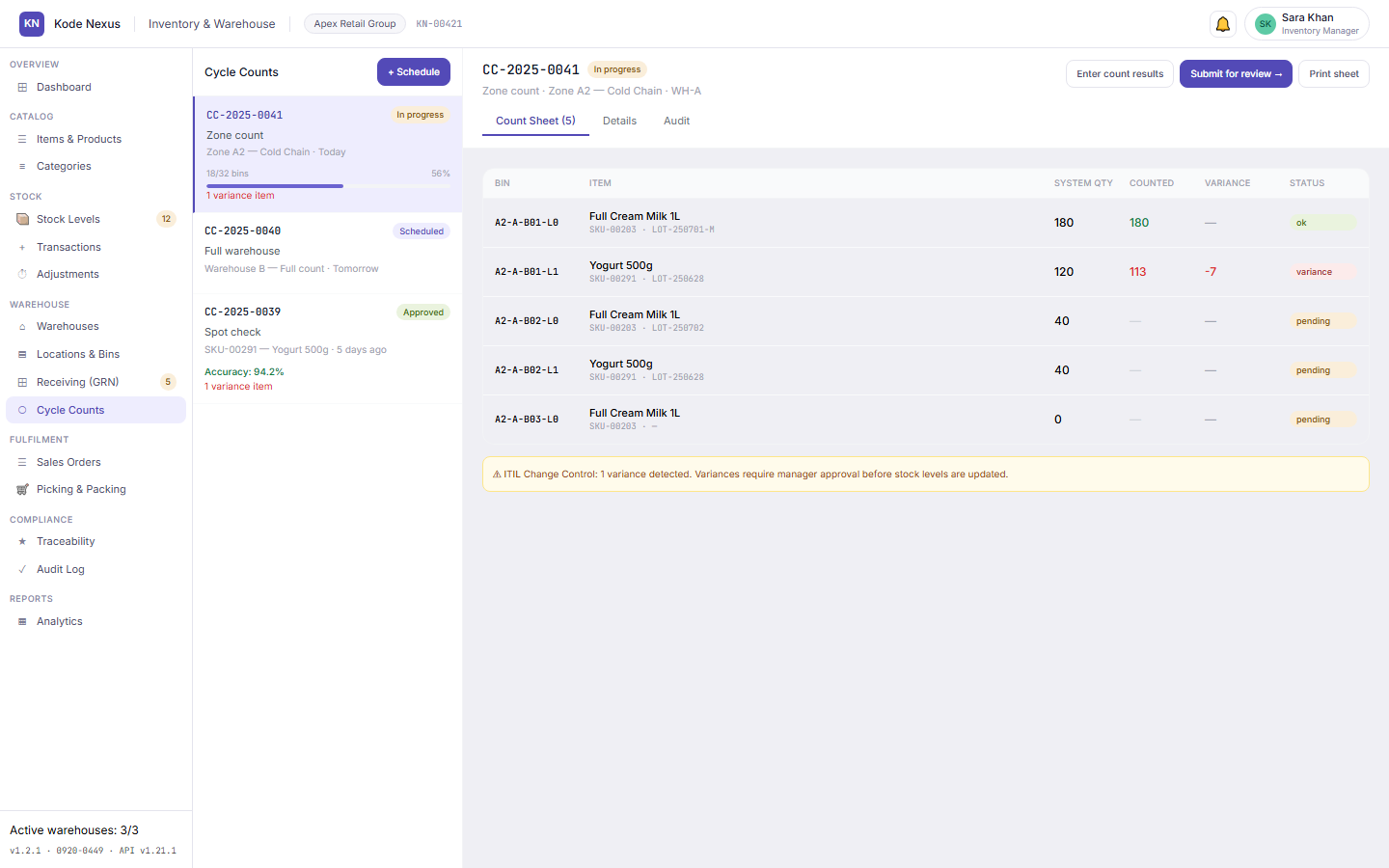
Schedule cycle counts and record what was counted, with blind counting on by default. Receive goods against a goods received note (GRN): reject what fails at the dock with a note, and put stock that needs inspection into a quarantine bin until it is released.

Cycle Counts screen with scheduled and completed counts.

05

Sales orders, picking and packing

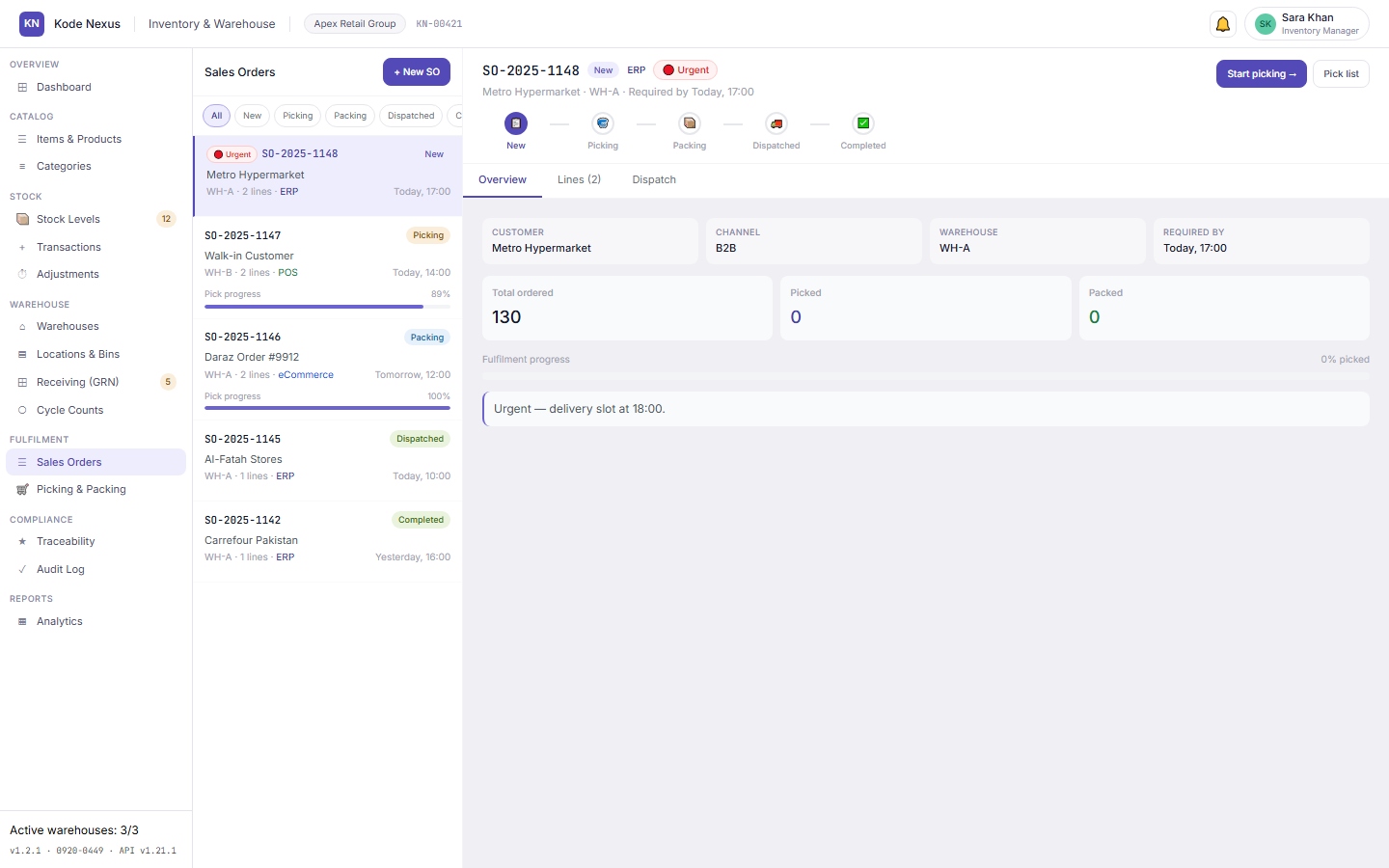
Work sales orders through picking and packing, so what leaves the warehouse matches what was ordered.

Sales Orders list with order status.

06

Traceability, audit log and analytics

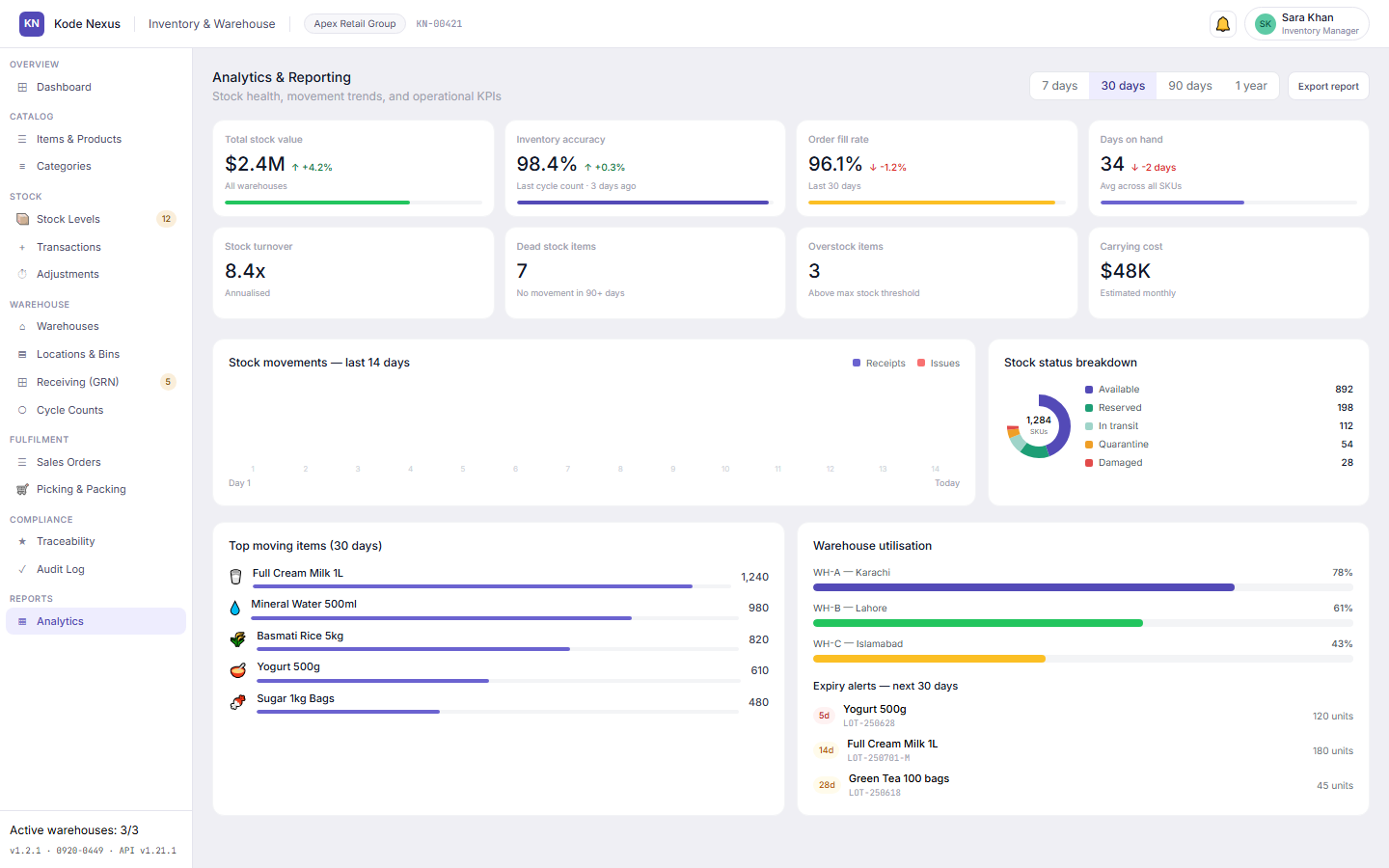
Trace stock movements, read the audit log of every change with the operator's KN ID, and follow stock value, accuracy and fill rate over time.

Inventory Analytics screen with stock trends.

Product tour

See INV-v01 at work

Real screens from INV-v01, with the demo organisation’s data.

Stock health at a glance

Low and critical stock, expiring batches and approvals waiting for you, on one screen.

Inventory dashboard with alerts and KPIs.

One clean item master

Categories, units of measure and barcodes defined once, used everywhere.

Items and Products list.

Approved, never silent

Every adjustment waits for a manager and keeps its before and after values.

Stock Adjustments screen with approval status.

Counts you can trust

Planned cycle counts, with blind counting to remove bias.

Cycle Counts screen.

Built for

  • Retail and wholesale
  • Distributors
  • Multi-warehouse operations
  • Shops paired with POS-v01

INV-v01 questions

Can staff change stock quantities directly?

No. Stock changes through transactions, and every adjustment needs a manager's approval. The record keeps the before and after values and the operator's KN ID.

How detailed can locations be?

Warehouse, zone, aisle, bay, level and bin. Bay and level are optional, so small stockrooms stay simple.

Does it work with the point of sale?

POS-v01 is built on the same platform with the same sign-in, and its product catalogue shows each item's base price from the Inventory item master.

Talk to us about INV-v01

Tell us about your organisation and we’ll show you INV-v01 with your own situation in mind.

  • We reply within one business dayMonday to Friday, 9:00 to 18:00 (PKT, UTC+5)
  • Prefer email?sales@kodenexus.com
  • Moving from spreadsheets?Tell us what you use today and we’ll explain how your data comes across.

Include the country code, e.g. +92 300 1234567

We use your details only to reply. See our privacy policy.