Skip to content
POS-v01Available

Point of Sale: fast checkout, with a manager's PIN where it matters.

POS-v01 is a full-screen terminal built for the counter: browse or scan, take cash, card or split payments, and close the shift with a Z-report. Discounts are capped per product, and refunds, price overrides and shift changes need a manager's PIN.

The POS-v01 terminal with a product grid on the left and the current sale, totals and charge button on the right.

Why teams choose POS-v01

  • Discounts with a ceiling

    Each product has a maximum discount. Going beyond it needs a manager's PIN.

  • Refunds, never voids

    Every reversal after payment is a refund with a reason and a manager's PIN.

  • Card payments that reconcile

    Card sales record the last four digits and an optional bank reference, so they match the bank statement.

  • Shifts that balance

    Open with a float, count by denomination at close, and print a Z-report.

01

A terminal built for the counter

A full-screen product browser beside a live cart, with no ERP menus in the way. Search, filter by category or scan a barcode, adjust quantities, and apply line discounts up to each product's limit.

  • GST calculated on every sale
  • A sale beyond the stock on hand goes through, flagged for the manager
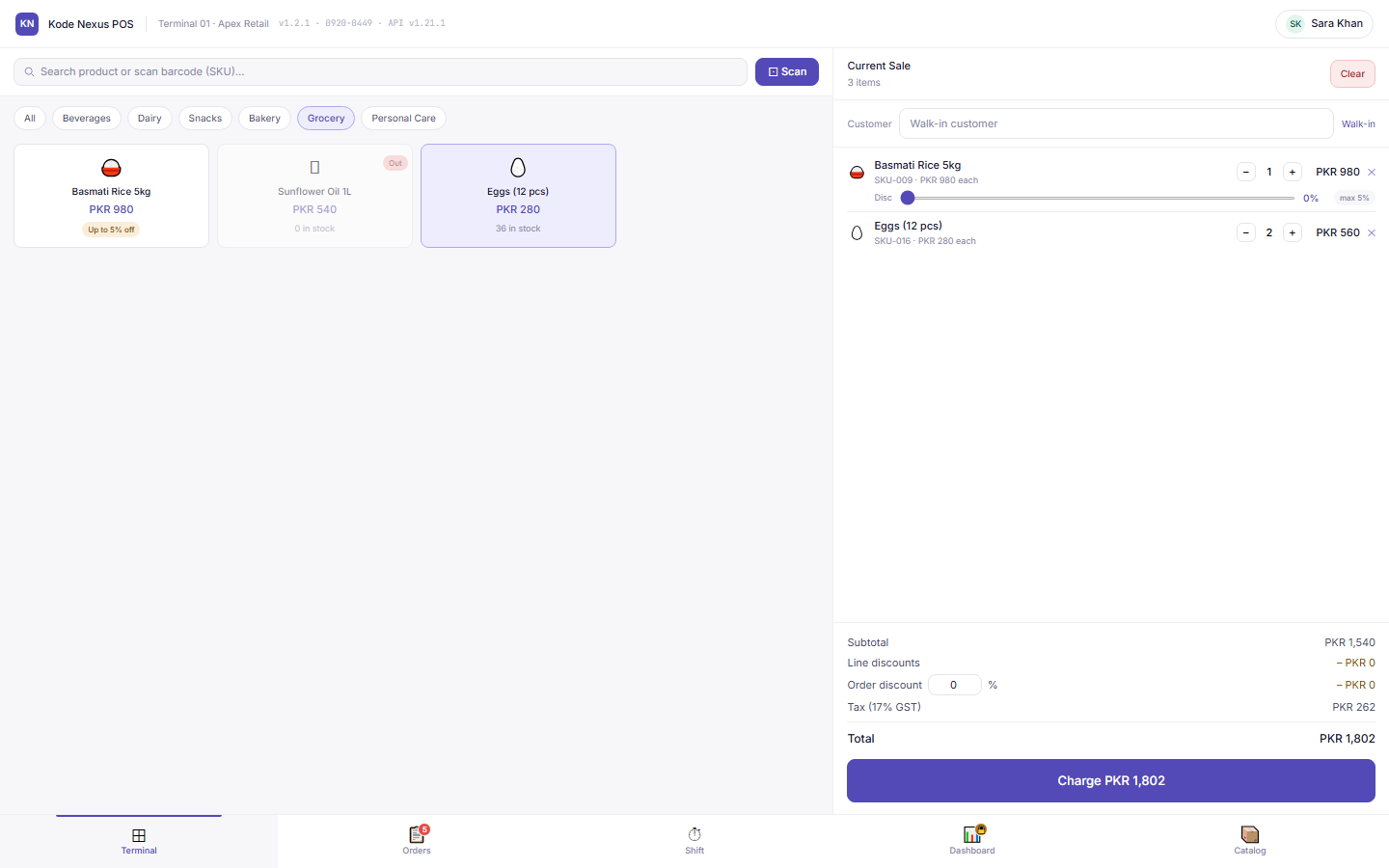
POS terminal with grocery products and a cart with two items.

02

Cash, card or split payments

Take cash, card or a split of both. Card payments need the card's last four digits, and a bank reference can be added, so every card sale can be matched to the bank statement.

03

Orders, receipts and refunds

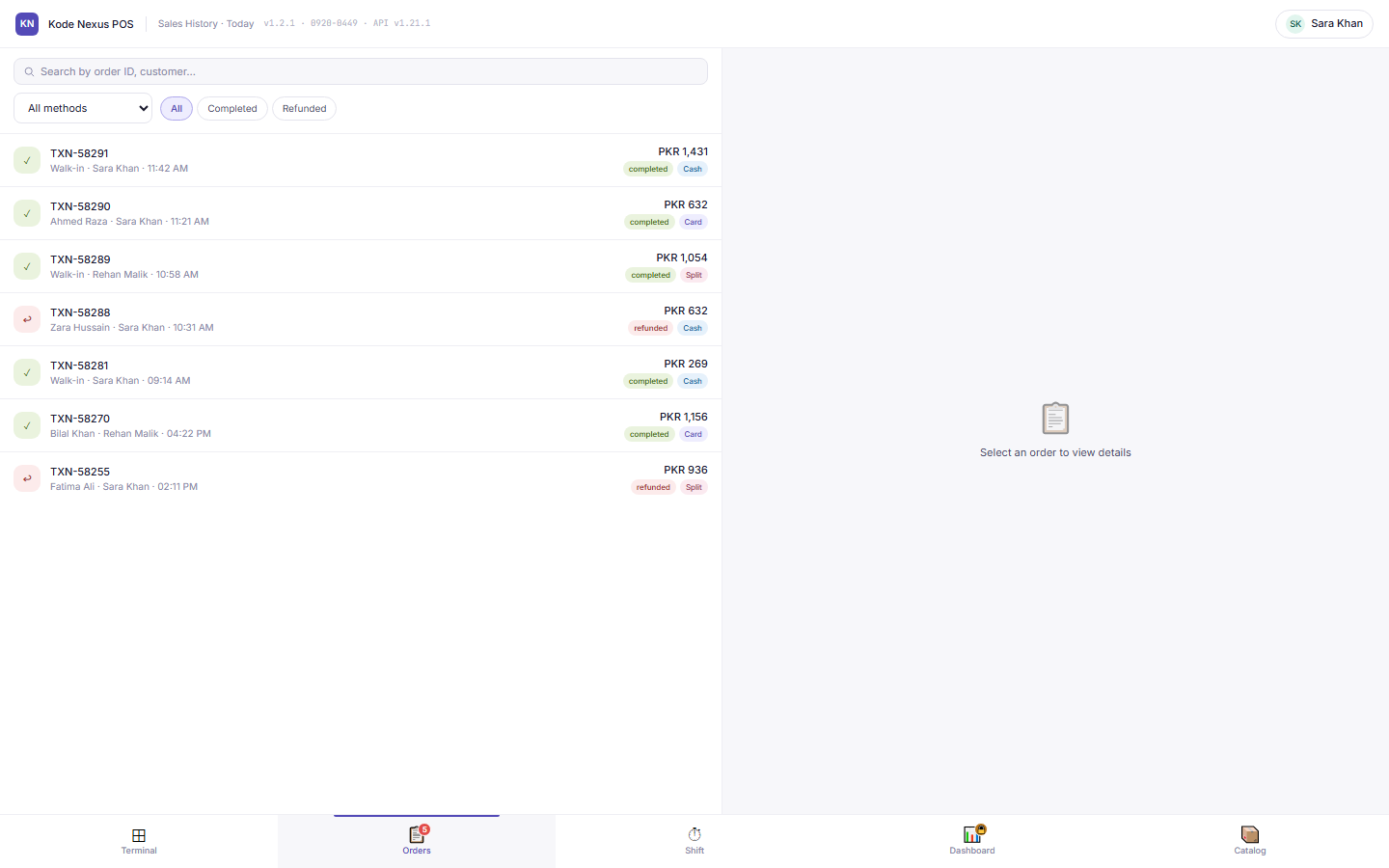
Look up sales by receipt number, customer or card's last four digits, and reprint a receipt. Refunds are paid in cash in four steps (items, method, reason and a manager's PIN), and there is no void.

Sales History list with completed and refunded orders and their payment methods.

04

Shifts with a float and a Z-report

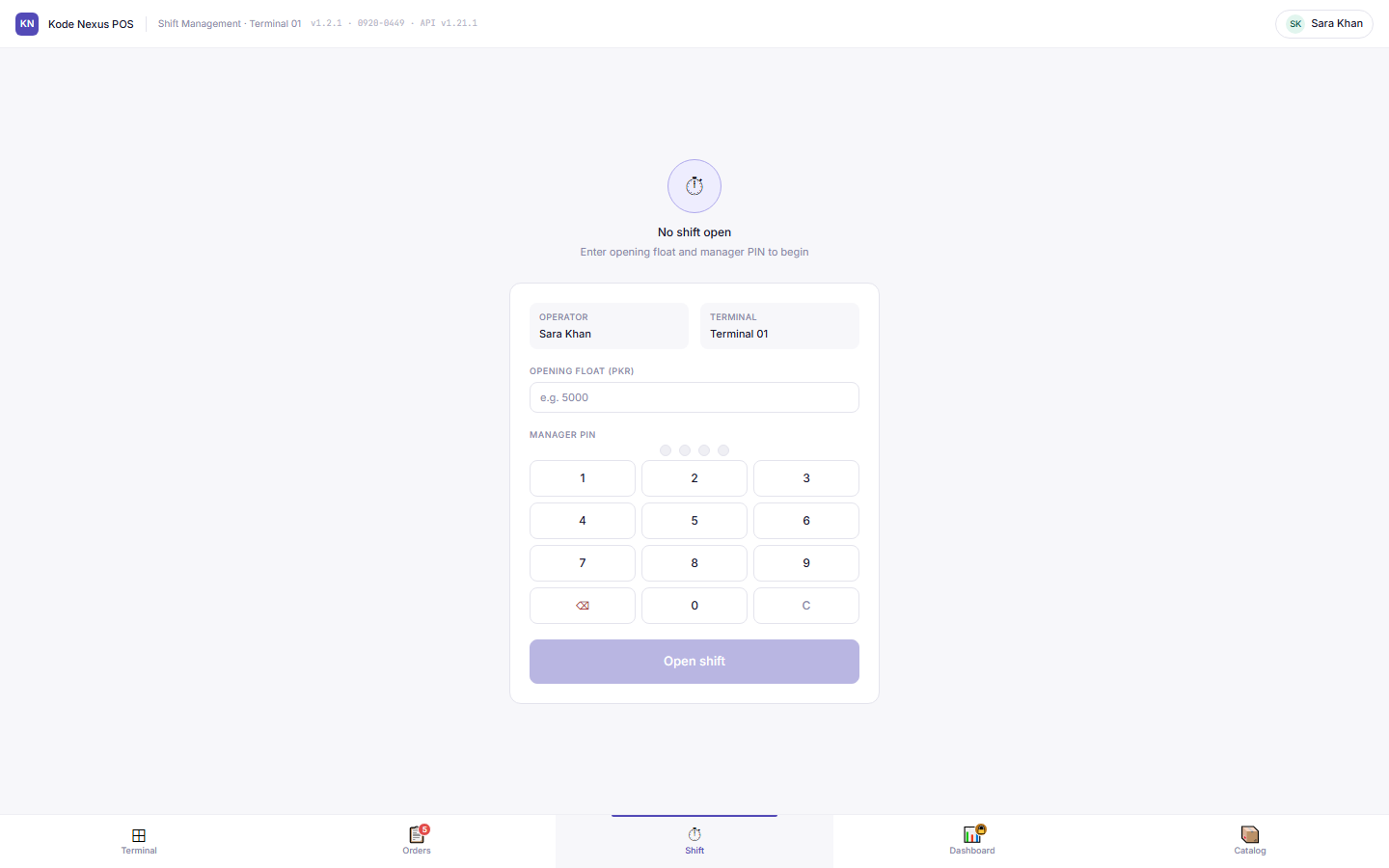
Opening a shift records the cashier, terminal and opening float, approved by a manager's PIN. Closing counts the drawer by denomination and produces a Z-report. With ACC-v01, each closed shift posts one journal entry: sales, GST, cash, card takings, refunds and over / short.

Open shift screen with operator, terminal, opening float and manager PIN pad.

05

A catalogue for the counter

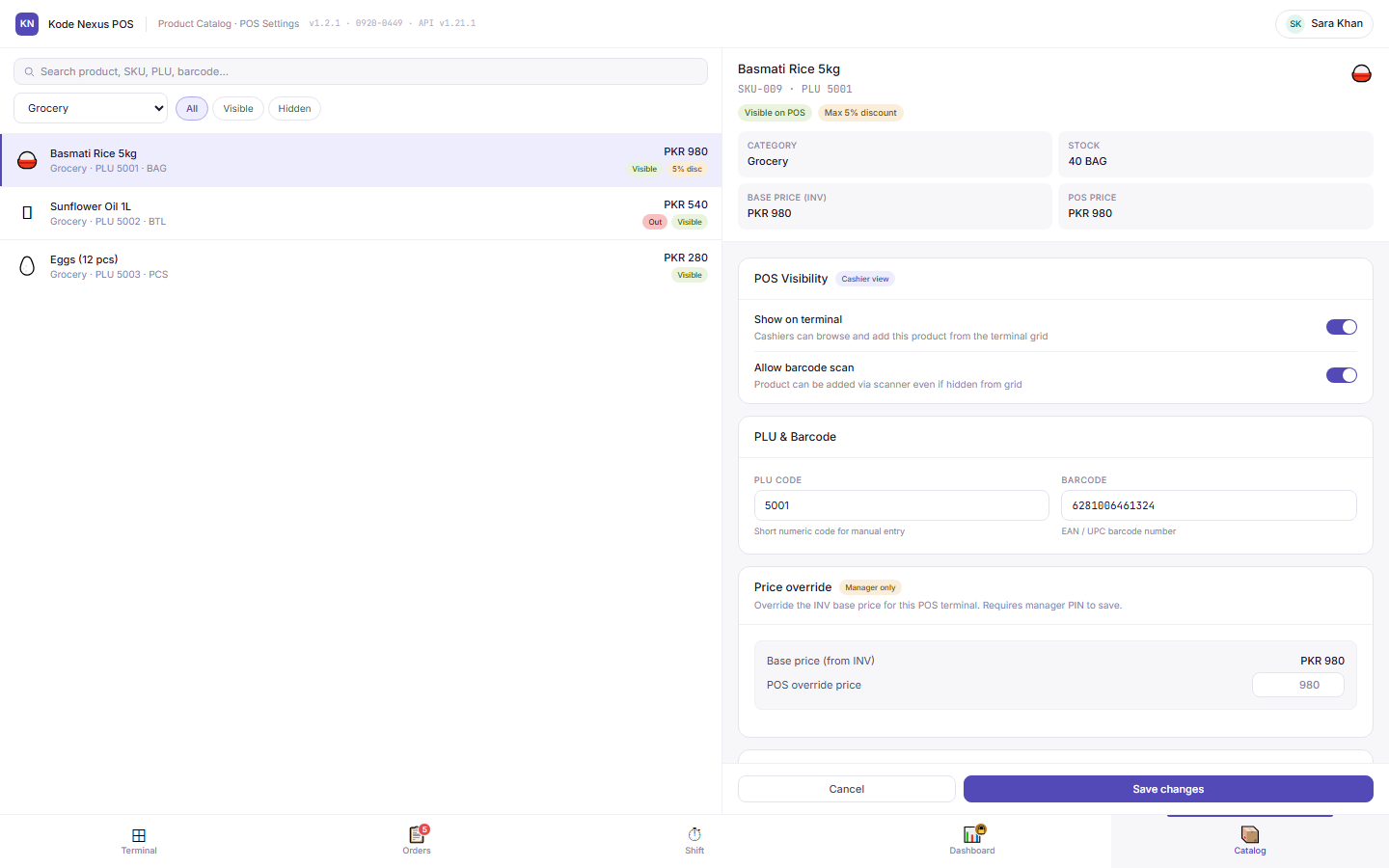
Choose which products appear on the terminal, set PLU codes and barcodes, and override the Inventory base price for the terminal, which needs a manager's PIN.

POS product catalogue settings with visibility, PLU, barcode and price override for a product.

06

A dashboard only managers can open

Revenue by hour, payment mix and top products over the range you choose. A manager's PIN is required every time the dashboard is opened.

Product tour

See POS-v01 at work

Real screens from POS-v01, with the demo organisation’s data.

Browse, scan, sell

A full-screen product grid and a live cart, with each product's discount limit enforced.

POS terminal with a sale in progress.

Every sale on record

Find any sale, reprint the receipt, or start a refund.

Sales history list.

Open and close with a PIN

Opening float, denomination count and Z-report, with a manager's approval.

Open shift screen.

Control the counter

Visibility, PLU, barcode and manager-approved price overrides per product.

POS catalogue settings for a product.

Built for

  • Supermarkets and grocers
  • Pharmacies and convenience stores
  • School canteens and book shops
  • Retail chains

POS-v01 questions

Can cashiers void a sale?

No. Once a sale is paid, the only way back is a cash refund, with the items, a reason and a manager's PIN.

How are card payments reconciled?

Each card payment records the card's last four digits, which are required, and an optional bank reference, so card sales can be matched to the bank statement.

What happens when a shift closes?

The cashier counts the drawer by denomination, a manager approves with their PIN, and POS-v01 produces a Z-report for the shift.

Talk to us about POS-v01

Tell us about your organisation and we’ll show you POS-v01 with your own situation in mind.

  • We reply within one business dayMonday to Friday, 9:00 to 18:00 (PKT, UTC+5)
  • Prefer email?sales@kodenexus.com
  • Moving from spreadsheets?Tell us what you use today and we’ll explain how your data comes across.

Include the country code, e.g. +92 300 1234567

We use your details only to reply. See our privacy policy.